Bring the complete idea
Write or paste a Markdown draft. Fold recognizes headings, lists, callouts, links, code, embeds, and tables.
 Triuna Labs
Open Fold
Triuna Labs
Open Fold
Fold Article Studio · A Triuna Labs product
Fold prepares the coordinated assets behind a polished LinkedIn article release—without forcing writers to rebuild the same idea in five different tools.
Open Fold Article Studio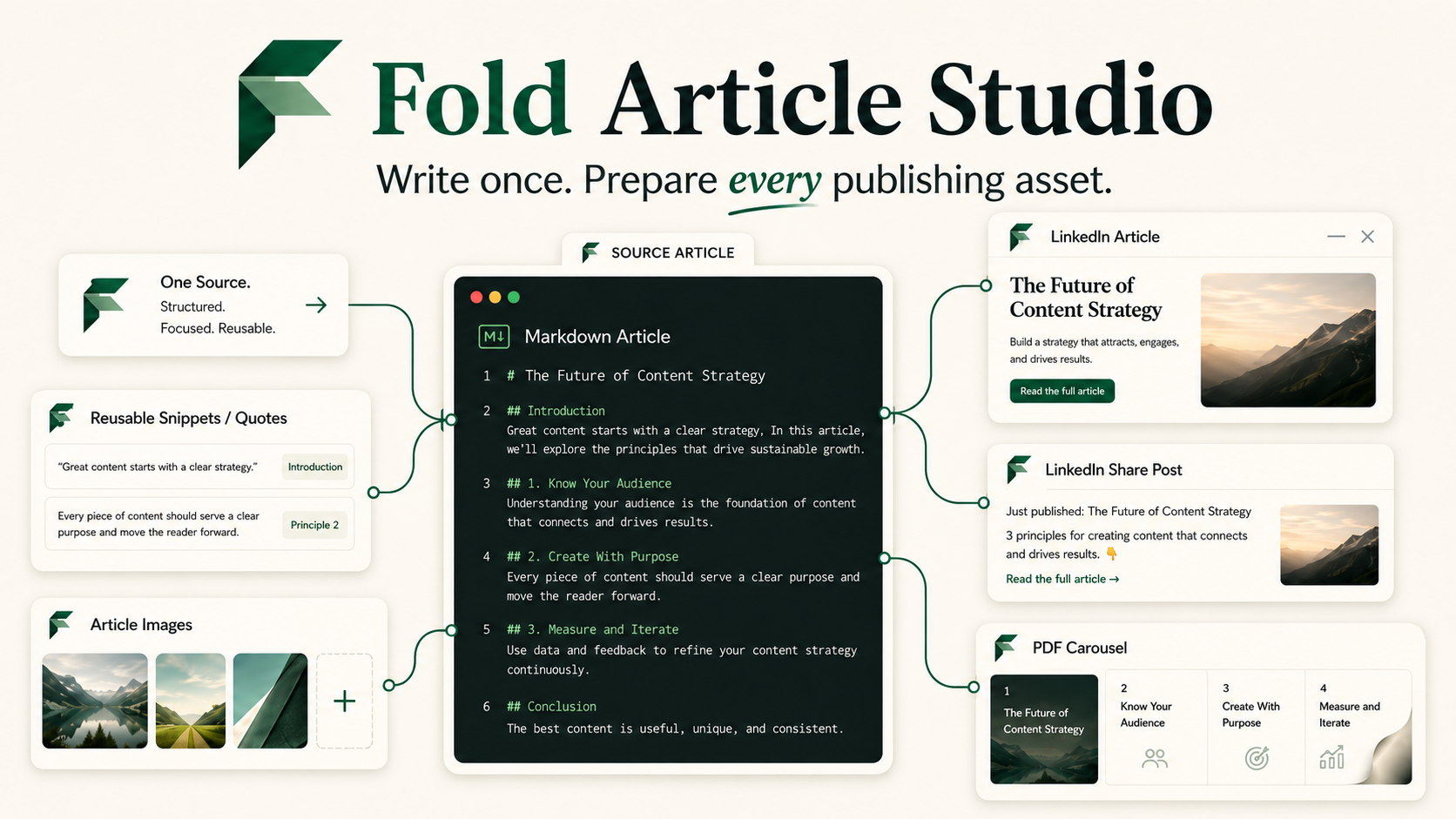

The workflow
Write or paste a Markdown draft. Fold recognizes headings, lists, callouts, links, code, embeds, and tables.
Preview the article, refine the LinkedIn post, edit snippets and images independently, and choose the strongest carousel narrative.
Copy rich article content and download the images, PDF carousel, and complete publishing package for the final LinkedIn editor steps.
Why Fold

The article explains, the feed post invites, and the carousel makes the strongest ideas memorable. Each asset has a distinct publishing job.
Drafts, checkpoints, project history, and style settings stay in the browser unless you deliberately export or share them.
Edit a single snippet, article image, slide, title, alt-text description, or call to action without rebuilding the full package.
LinkedIn still requires final editor actions for code blocks, embeds, images, and document uploads. Fold prepares and labels those assets so the handoff is clear.

Free initial release
Fold runs in the browser and does not require an account. Start with a sample or bring your own Markdown.